
Are More Expensive HDMI Cables Worth It?
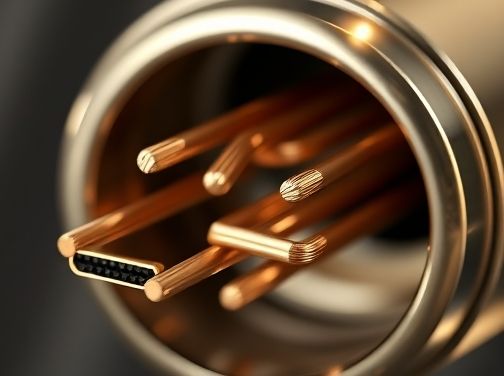
When the market is saturated with HDMI cables ranging from budget to premium, it’s natural to wonder whether a higher price tag translates into better performance. One of the most critical factors that determine an HDMI cable’s effectiveness at high speeds is signal integrity. Understanding how signal integrity works—and why it matters—can help you make an informed decision about which cable to purchase.
The Basics of Signal Integrity
Signal integrity refers to the ability of a cable to preserve the electrical characteristics of the transmitted data. In HDMI, this includes maintaining voltage levels, minimizing distortion, and preventing interference between adjacent channels. When signal integrity is compromised, you may experience artifacts such as color banding, flickering, or even complete loss of video.
Key Parameters Affecting Signal Integrity
- Impedance Matching: HDMI cables are designed for a 100 Ω differential impedance. A mismatch can cause reflections that degrade the signal.
- Signal Attenuation: Over long runs, high‑frequency components of the signal lose strength. Quality conductors and shielding mitigate this loss.
- Crosstalk: Electromagnetic coupling between adjacent traces can introduce noise. Tight spacing and proper layout help reduce crosstalk.
- Return Loss: A measure of how much power is reflected back toward the source; lower return loss indicates better transmission quality.
Why High‑Speed HDMI Requires Extra Care
HDMI 2.1, for example, supports data rates up to 48 Gbps. At these speeds, even minor impedance mismatches or attenuation can cause catastrophic failures. Therefore, manufacturers that invest in high‑quality materials and rigorous testing often produce cables capable of sustaining reliable performance over longer distances.
Materials That Make a Difference
- Copper Conductor Quality: Litz wire or gold-plated contacts reduce resistance and oxidation, preserving signal strength.
- Dielectric Insulation: Low‑loss polymers like PTFE maintain consistent impedance across the bandwidth.
- Shielding: Multi-layer foil and braided shielding protect against external EMI and internal crosstalk.
The Real-World Impact of Signal Integrity on Your Experience
Consider a typical home theater setup. If you run a 5‑meter cable between your console and TV, a poorly engineered cable might introduce enough signal loss to cause visible flicker or color inaccuracies, especially when playing HDR content. Conversely, a premium cable with superior impedance control will deliver crisp, artifact-free images even at the highest resolutions.
In professional settings—such as broadcast studios or gaming rigs—signal integrity is non-negotiable. A single compromised channel can disrupt live streams, recordings, or competitive gameplay. Thus, investing in a high‑quality cable becomes a matter of reliability rather than luxury.
Is the Price Premium Justified?
The answer depends on your use case:
- Short Runs (≤3 m): Standard cables often suffice; the performance difference is negligible.
- Longer Runs or High‑Bandwidth Content: Premium cables can provide measurable benefits, reducing latency and preventing data errors.
- Aesthetic and Build Quality: For users who value durability and a polished look, higher-end cables offer thicker shielding and better connectors.
Ultimately, signal integrity is the backbone of any HDMI cable’s performance. While you don’t need to splurge for every application, choosing a cable that meets stringent impedance, attenuation, and shielding standards can safeguard your visual experience—especially when pushing the limits of high‑speed data transfer.
Conclusion
Signal integrity is not just an engineering buzzword; it’s a practical concern that directly influences picture quality and reliability. When evaluating HDMI cables, look beyond brand names and price tags. Inspect specifications for impedance accuracy, attenuation rates, and shielding effectiveness. By prioritizing signal integrity, you can ensure your investment—whether modest or premium—delivers the performance you expect from modern high‑definition displays.

Why Price Doesn’t Always Equal Performance: A Cost‑Benefit Breakdown
When you’re shopping for an HDMI cable, the first instinct is often to line up the price against the promised performance. “$100?” you might think. “Do I really need that much to get a smooth 4K signal?” The reality is far more nuanced. A higher price tag does not automatically guarantee better image quality or durability. Instead, it’s essential to evaluate the specific features that truly impact performance and weigh them against your own needs.
Key Performance Metrics That Matter
Below are the primary technical aspects that influence an HDMI cable’s real-world performance:
- Bandwidth (Mbps): Determines how much data can travel per second. For 4K at 60 Hz, you need a minimum of 18 Gbps; for HDR10 or Dolby Vision, 36 Gbps.
- Signal Integrity: Includes shielding quality and conductor purity (e.g., tinned copper vs. pure copper).
- Length and Cable Construction: Longer cables suffer more attenuation unless they’re built with thicker conductors or active repeaters.
- Compliance & Certification: HDMI 2.1, HDR10+, eARC, and other standards guarantee certain performance thresholds.
Do These Metrics Justify the Price?
In many cases, the difference between a mid‑range cable ($30–$50) and a premium one ($100+) lies in marginal gains that may be imperceptible to most viewers. For example:
- A 4K signal at 60 Hz can run flawlessly on a well‑shielded 2 m cable for both brands.
- Higher‑grade copper or thicker conductors reduce resistance, but the visual difference is often below the human eye’s detection threshold.
When Premium Features Matter
There are scenarios where investing in a higher‑priced cable pays off:
- Professional Video Production: When multiple displays and color‑accurate signals are critical, the extra bandwidth and shielding can prevent signal loss.
- Ultra‑Long Runs (10 m+): For large rooms or studio setups, premium cables with reinforced conductors keep attenuation low over distance.
- Future‑Proofing: HDMI 2.1 support for 8K, high frame rates, and variable refresh rate (VRR) may be necessary if you plan to upgrade soon.
Cost vs. Benefit: A Practical Decision Matrix
To help decide whether a pricey cable is justified, consider the following matrix:
| Use Case | Required Bandwidth | Recommended Cable Class | Typical Price Range |
|---|---|---|---|
| Standard 1080p home theater | 3 Gbps | HDMI 1.4 or 2.0 (basic) | $10–$20 |
| 4K@60Hz HDR content | 18 Gbps | HDMI 2.0b or 2.1, shielded | $25–$50 |
| 4K@120Hz gaming with VRR | 48 Gbps | High‑speed HDMI 2.1, active repeater if >3 m | $60–$100+ |
| Professional studio multi‑display setup | ≥36 Gbps | Premium shielded, tinned copper, custom lengths | $150–$300+ |
The table shows that for most casual users, a mid‑range cable will deliver all the performance they need. The premium tier is reserved for high‑end gaming rigs or professional environments where every bit of bandwidth and signal integrity counts.
Conclusion: Buy What You Need, Not Just What’s Priced Higher
The price-performance relationship in HDMI cables is governed by specific technical requirements rather than brand prestige. By understanding your own usage scenario—whether it’s simple 1080p streaming or future‑proof 8K production—you can make an informed choice that balances cost with actual benefit.
Common Myths About “Premium” HDMI Cables Debunked
The world of home theater technology is full of jargon that can be confusing for the average consumer. One term that appears frequently in marketing materials and online forums is “premium.” When it comes to HDMI cables, many people assume that a higher price tag automatically translates into better performance. In reality, the truth is far more nuanced. Below we’ll dissect some of the most persistent myths surrounding premium HDMI cables and reveal what you should actually look for when making a purchase.
Myth 1: Premium Cables Guarantee Superior Picture Quality
Many brands label their products as “premium” or “high-performance,” implying that they will deliver crystal‑clear images, deeper blacks, and more accurate colors. In practice, the visual difference between a well‑made budget cable and a premium one is negligible for most setups. The HDMI specification defines the electrical characteristics required to carry 4K/60Hz or 8K signals; as long as a cable meets these standards, it will transmit the same data.
What can affect picture quality are factors outside of the cable itself: the source device’s output resolution, the display’s processing capabilities, and even room lighting. The cable merely acts as a conduit; it does not enhance or degrade the signal beyond its basic integrity.
Myth 2: Premium Cables Reduce Latency
A common claim is that premium cables lower input lag, which is crucial for competitive gaming. However, latency in HDMI transmission is dominated by the source device’s processing and the display’s internal buffering. Cable length can introduce a minuscule amount of delay—on the order of microseconds—but this is well below the threshold of human perception.
Therefore, buying an expensive cable will not give you a measurable advantage over a decent budget cable when it comes to latency.
Myth 3: Premium Cables are More Durable
Durability hinges on build quality—connector materials, strain relief, and shielding—not on the price tag. Some premium cables feature gold‑plated connectors or reinforced housings, but many budget options use equally robust materials.
- Gold plating: Offers better corrosion resistance, yet standard nickel or copper conductors perform just as well in typical home environments.
- Strain relief: A good cable will have a protective sleeve at the connector; if it’s missing, the cable is more likely to break regardless of its cost.
Myth 4: Premium Cables Support Higher Bandwidths by Default
The HDMI specification defines bandwidth tiers (e.g., 18 Gbps for 4K/60Hz, 48 Gbps for 8K). A cable that meets the “HDMI 2.1” standard can handle any of these tiers. Most modern cables labeled as “premium” already meet or exceed the necessary bandwidth; they do not magically increase it beyond what the HDMI standard allows.
What Should You Look For?
- Certification: Look for cables that are UL, ETL, or TUV certified to ensure they meet safety and performance standards.
- Shielding: Adequate shielding (e.g., braided copper) protects against electromagnetic interference, especially in long runs.
- Connector quality: Firmly seated connectors with proper strain relief reduce the risk of signal loss over time.
- Length appropriateness: For most home theaters, 6–10 feet is sufficient. Longer cables can introduce more signal attenuation unless they’re specifically designed for that purpose.
In conclusion, while premium HDMI cables may offer a few marginal advantages in build quality and peace of mind, the performance differences compared to reputable budget cables are minimal. Focus on meeting the HDMI specifications relevant to your setup—such as 4K/60Hz or HDR support—and ensure proper shielding and connector integrity. That approach will give you reliable, high‑quality video without paying unnecessary premiums.
How to Test and Verify Cable Quality for Home Theater Systems
When you invest in a high‑end home theater setup, the cables that connect your components can make or break the experience. Even the most advanced speakers, receivers, and projectors will deliver subpar performance if the data path is compromised by poor cable quality. Below is a systematic approach to testing and verifying HDMI and related audio/video cables so you can be confident every bit of signal travels flawlessly.
1. Visual Inspection – The First Line of Defense
- Check the connectors: Look for clean, intact pins on both ends. Any bent or missing pin indicates a potential short or open circuit.
- Inspect the cable jacket: A robust, heat‑shrinkable sheath should be free of cracks or abrasions that could expose internal strands.
- Verify labeling and specifications: High‑quality cables often carry certifications (e.g., HDMI 2.1, 4K HDR) stamped on the jacket or connector housing.
2. Continuity Testing with a Multimeter
Using a digital multimeter in continuity mode is essential for ensuring each pair of conductors inside the cable remains intact.
- Set the meter to the lowest ohm range.
- Touch one probe to the tip of a connector and the other to the corresponding pin on the opposite end.
- A steady beep or low resistance reading confirms an unbroken path; a lack of continuity signals damage that may cause signal loss.
3. Signal Integrity – Using an HDMI Test Tool
Professional HDMI testers (e.g., VHS-Check, J-Tech Digital, or Test‑Tools' HDMI Analyzer) can evaluate several key parameters:
- Signal strength and amplitude: Ensures the cable transmits full‑scale voltage without attenuation.
- Eye diagram analysis: Visualizes timing jitter and bit error rates; a clean, wide eye indicates high fidelity.
- HDMI handshake verification: Confirms that the cable supports the desired resolution, refresh rate, and HDR formats.
4. Real‑World Playback Test
No test is complete without listening and watching content at your system’s maximum capabilities.
- Select a 4K HDR movie or a high‑dynamic‑range video game that matches the cable’s spec sheet.
- Record the playback on a calibrated display while monitoring for any visible artifacts (blocking, color banding) or audio dropouts.
- If you notice anomalies, swap the cable with a known good one to isolate the problem.
5. Environmental Stress Test
Cables in a home theater often experience temperature swings and mechanical strain.
- Heat test: Place the cable near a heat source (e.g., behind a TV) for several hours to check if it maintains performance.
- Flex test: Bending or twisting the cable at typical installation angles can reveal hidden microfractures.
6. Documentation and Certification Review
After confirming physical integrity, compare your findings with the manufacturer’s documentation.
- Verify that the cable meets the advertised HDMI version and bandwidth (e.g., 18 Gbps for 4K @60Hz).
- Check for compliance logos such as HDMI Certified or VESA standards.
- Maintain a log of test results for future reference, especially if you plan to upgrade or replace components later.
Conclusion – Do Expensive Cables Pay Off?
Rigorous testing ensures that any cable—regardless of price tag—delivers the promised performance. While premium cables often feature superior shielding, construction materials, and factory calibration, a thorough verification process can help you distinguish between genuine quality improvements and marketing hype. By following these steps, you’ll know whether your investment in high‑end HDMI cables truly enhances your home theater experience or if a more modest option would suffice.

Future Proofing: Are Expensive Cables Worth It for Next‑Gen Gaming?
When you’re investing in a next‑generation console or a high‑end PC build, the temptation to spend on premium HDMI cables is almost inevitable. You’ve read about “high‑speed” versus “Ultra High Speed,” about bandwidth, latency, and the promise of crystal‑clear 4K/8K displays with HDR10+ and Dolby Vision. But does buying a $100 cable really give you an edge over a standard, factory‑included one? The answer isn’t as black and white as you might think.
Understanding Bandwidth and Future Compatibility
The fundamental metric that determines whether a cable can carry the data for next‑gen visuals is its bandwidth. An Ultra High Speed HDMI 2.1 cable, rated at 48 Gbps, supports:
- 8K @ 60 Hz or 4K @ 120 Hz
- HDR10+, Dolby Vision, and enhanced audio formats
- Variable Refresh Rate (VRR) and Quick Media Switching (QMS)
Standard HDMI 2.0 cables, with a bandwidth of 18 Gbps, are limited to 4K @ 60 Hz without HDR. If your setup is already at the 8K/120Hz threshold, you’ll need an Ultra High Speed cable to keep the signal intact.
What “High‑Speed” Really Means
A “high‑speed” HDMI cable typically meets the 18 Gbps requirement. It’s sufficient for most gamers using 4K @ 60Hz monitors or TVs with HDR10 support. The extra cost of a higher‑grade cable only becomes relevant if you’re pushing beyond that level.
Latency: The Gaming Edge
Some premium cables advertise “low latency” or “zero lag.” In practice, the difference in input delay between a standard and a high‑end cable is minuscule—often less than 1 ms. For competitive gamers who rely on frame‑perfect timing, this margin may be noticeable when combined with an already low‑latency display, but it’s unlikely to make a decisive impact.
Build Quality: Durability vs. Performance
High‑end cables often feature thicker shielding, gold-plated connectors, and reinforced jackets. These attributes can reduce electromagnetic interference (EMI) in noisy environments or when running cables alongside power lines. However, for most indoor setups with shielded walls, a standard cable’s performance is adequate.
When the Premium Payoff Is Real
- Long Cable Runs: If you need to run HDMI from a console in one room to a display two rooms away, shielding and build quality can preserve signal integrity over longer distances.
- Future-Proofing: Should your budget allow, investing in an Ultra High Speed cable now guarantees compatibility with any upcoming 8K or 120Hz displays you may acquire in the next five years.
- Aesthetic and Professional Installations: For commercial or streaming setups where presentation matters, a premium cable can be part of a polished look.
The Bottom Line: Value vs. Necessity
If your current rig runs 4K @ 60Hz HDR displays, the standard HDMI cable that comes with your console or monitor is perfectly capable. The marginal performance gains from an expensive cable are negligible for typical gaming scenarios.
However, if you’re:
- Planning to upgrade to an 8K TV or a 4K @ 120Hz monitor soon
- Running long cable runs that might suffer from EMI
- Interested in the peace of mind that comes with future-proofing your setup
then spending a bit more on an Ultra High Speed HDMI 2.1 cable can be justified.
Final Verdict
Expensive HDMI cables are worth it only if you’re targeting the highest resolutions and refresh rates, or need robust shielding for long runs. For most gamers today, a standard high‑speed cable delivers all the performance they’ll ever require—making the extra expense unnecessary unless future-proofing is a priority.